Included in the plan
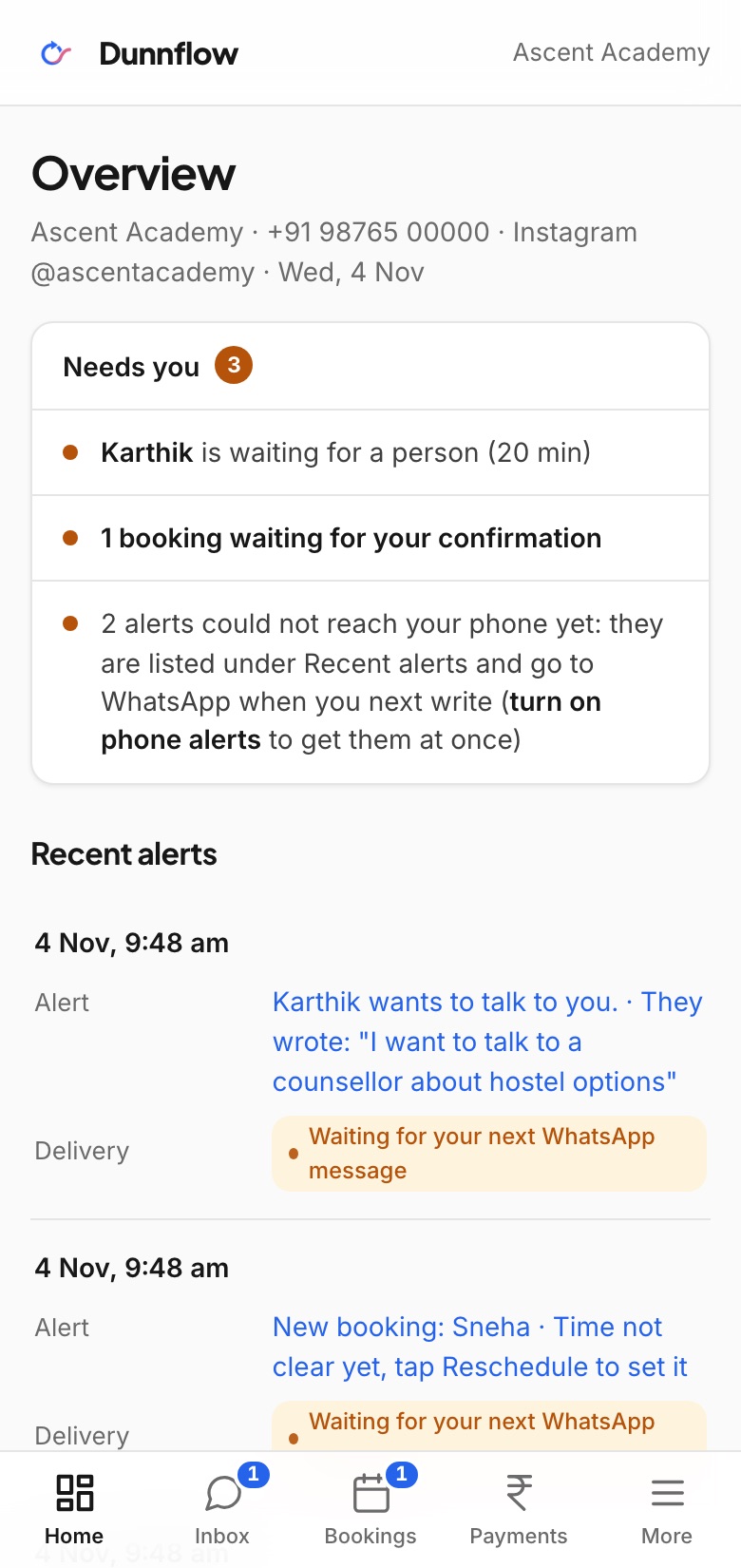
Everything your assistant does, on one screen.
Sign in from your phone or laptop and see every WhatsApp and Instagram conversation, every booking and every rupee, without asking anyone.
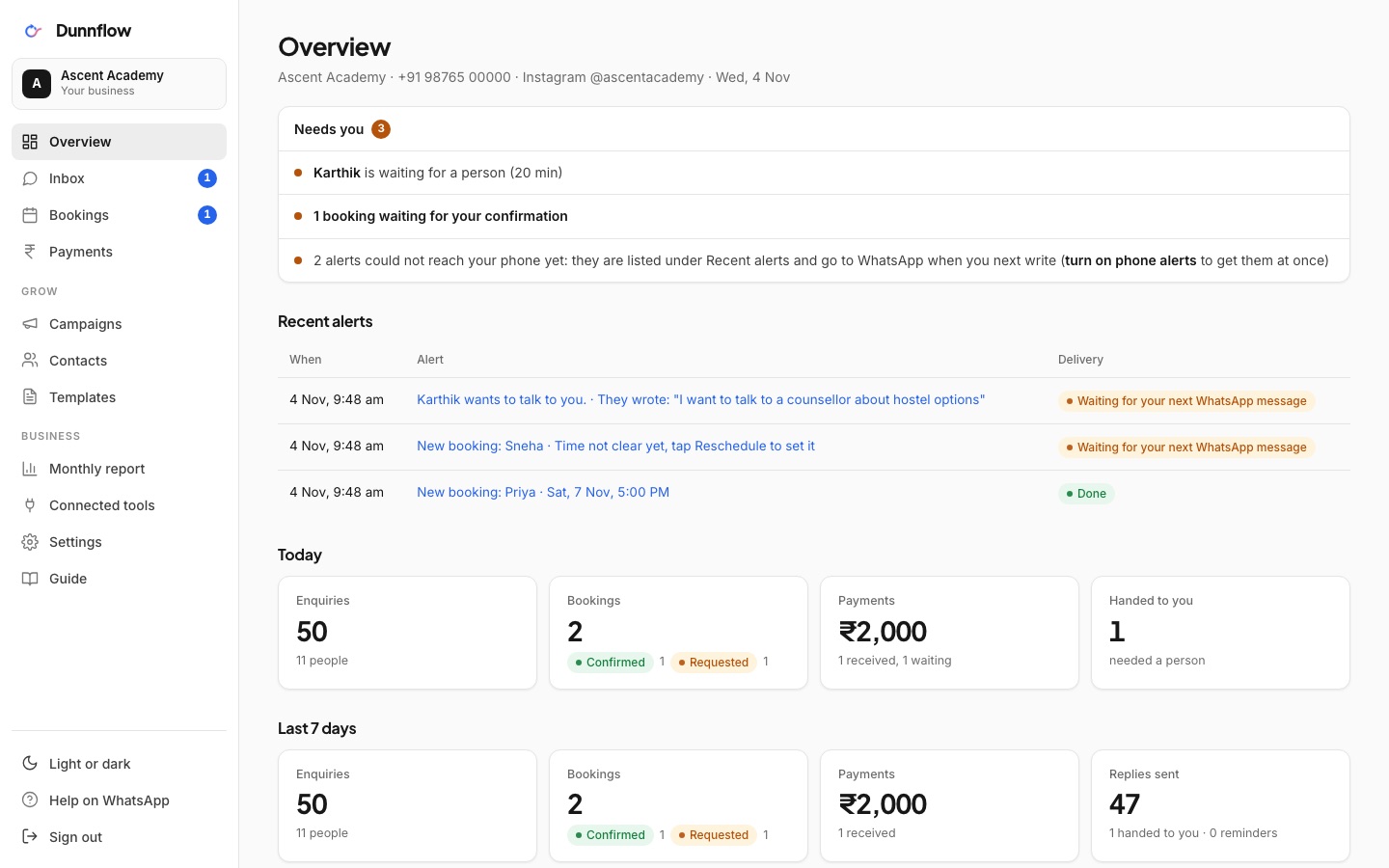
Screens from a demo account. Names and numbers are examples.
- Today and the last 7 days: enquiries, bookings by status, payments received, chats handed to you.
- A "Needs you" list at the top: every booking waiting for your confirmation, every chat that needs a person, each one a tap away.
- WhatsApp and Instagram counted separately, with your Instagram account's connection status.
- Your number's health: quality rating, messaging limit, templates approved, verified name.
- What people asked about this week, so you know which questions to answer better.
Every conversation, both channels
Inbox
Every WhatsApp and Instagram conversation in one list, with a filter per channel and a dot on chats that need a reply.
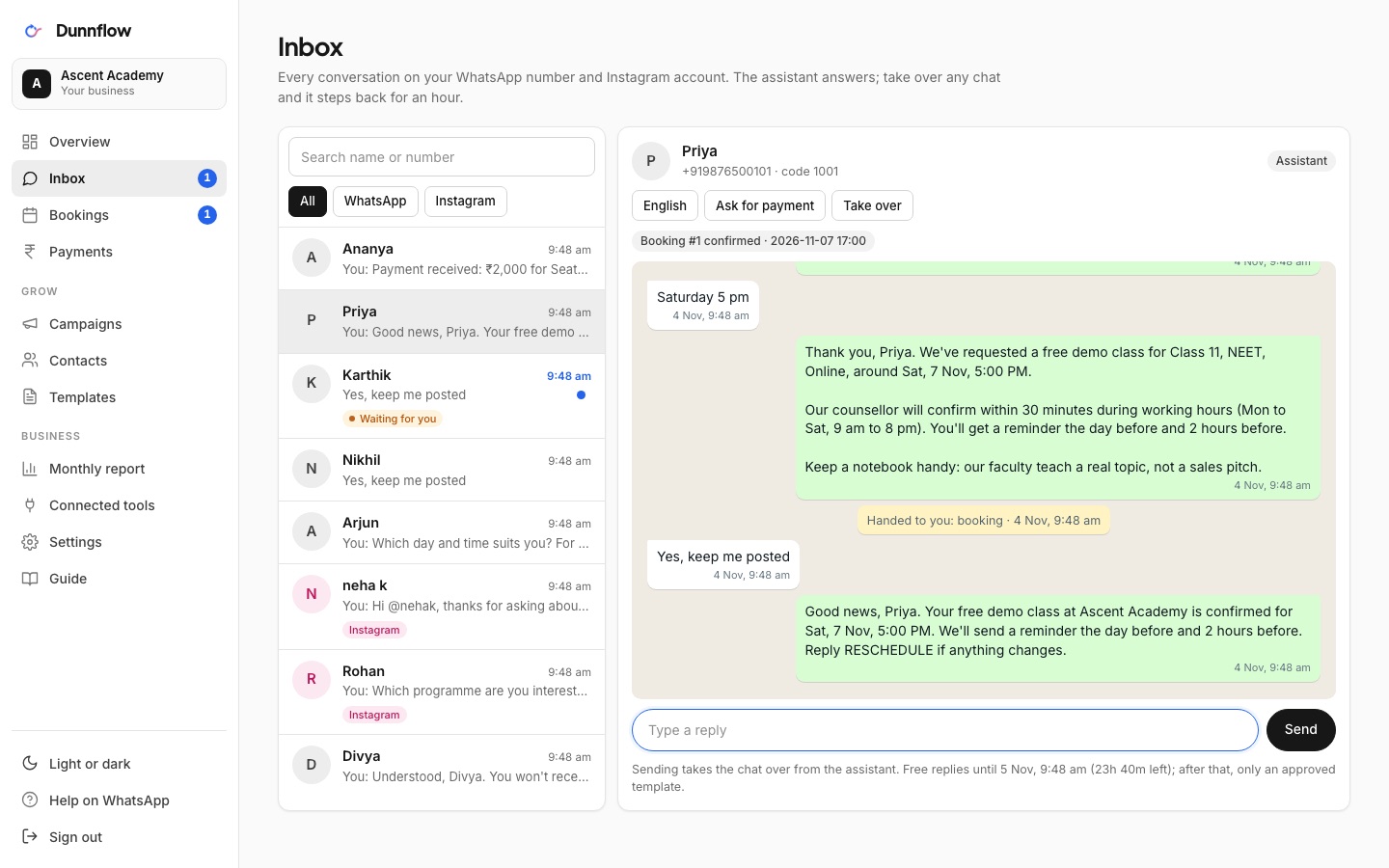
- Reply from the web. The moment you type, the assistant steps back for that person until you hand the chat back.
- The free-reply window is shown under the box. When it has closed, you pick an approved template instead.
- Photos show inline, documents download, and the booking or payment linked to the chat sits at the top.
- Phone numbers are masked in the list and shown in full only inside the open conversation.
DMs and comment replies
Instagram in the same inbox
Instagram DMs and private replies to comments appear next to WhatsApp chats, marked with a pink Instagram badge.
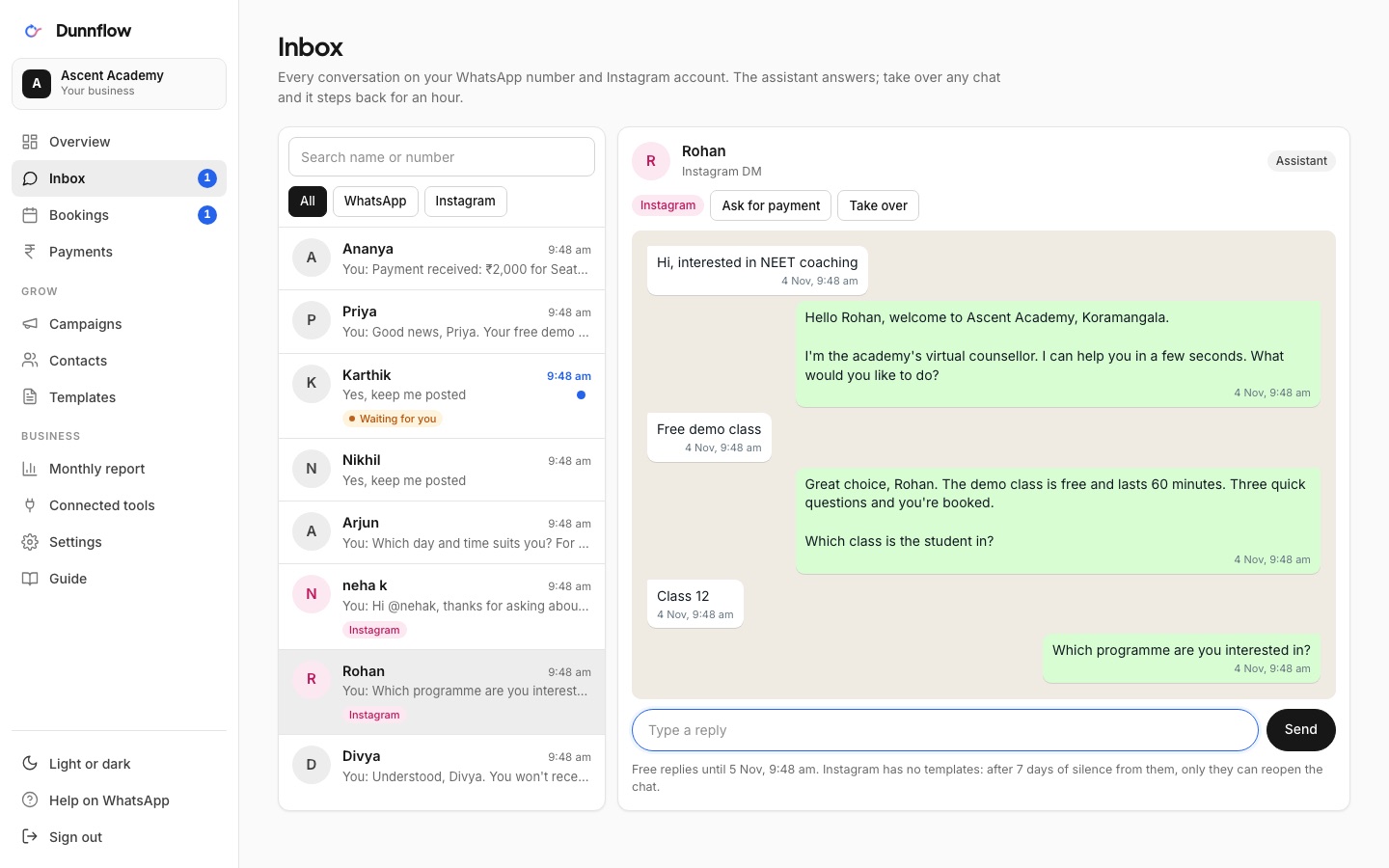
- The assistant answers with quick-reply chips and offers a one-tap WhatsApp link when a booking needs reminders.
- Instagram's 24-hour and 7-day rules are explained right in the thread, so you always know what can be sent.
Confirm with one click
Bookings
Every booking the assistant took, grouped by day, with the customer's answers and the channel it came from.
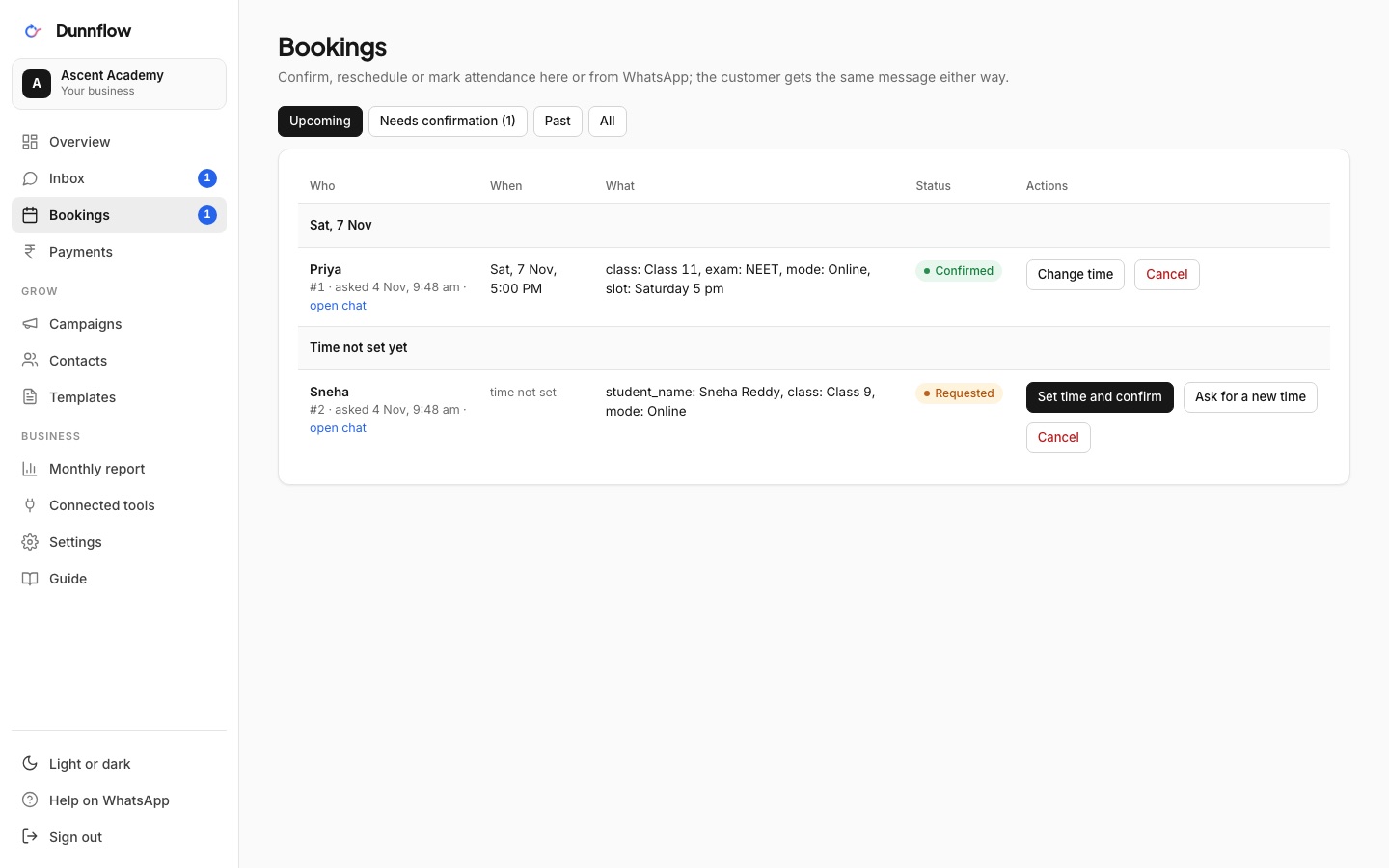
- Confirm, ask to reschedule, mark attended or no-show. The customer gets the same message as if you replied from your phone.
- Set a time in plain words, like "tomorrow 5 pm", and the reminders are scheduled automatically.
- Upcoming and past, with filters by status.
Links, receipts, marked paid
Payments
Every payment link the assistant sent: amount, purpose, provider, status and the booking it belongs to.
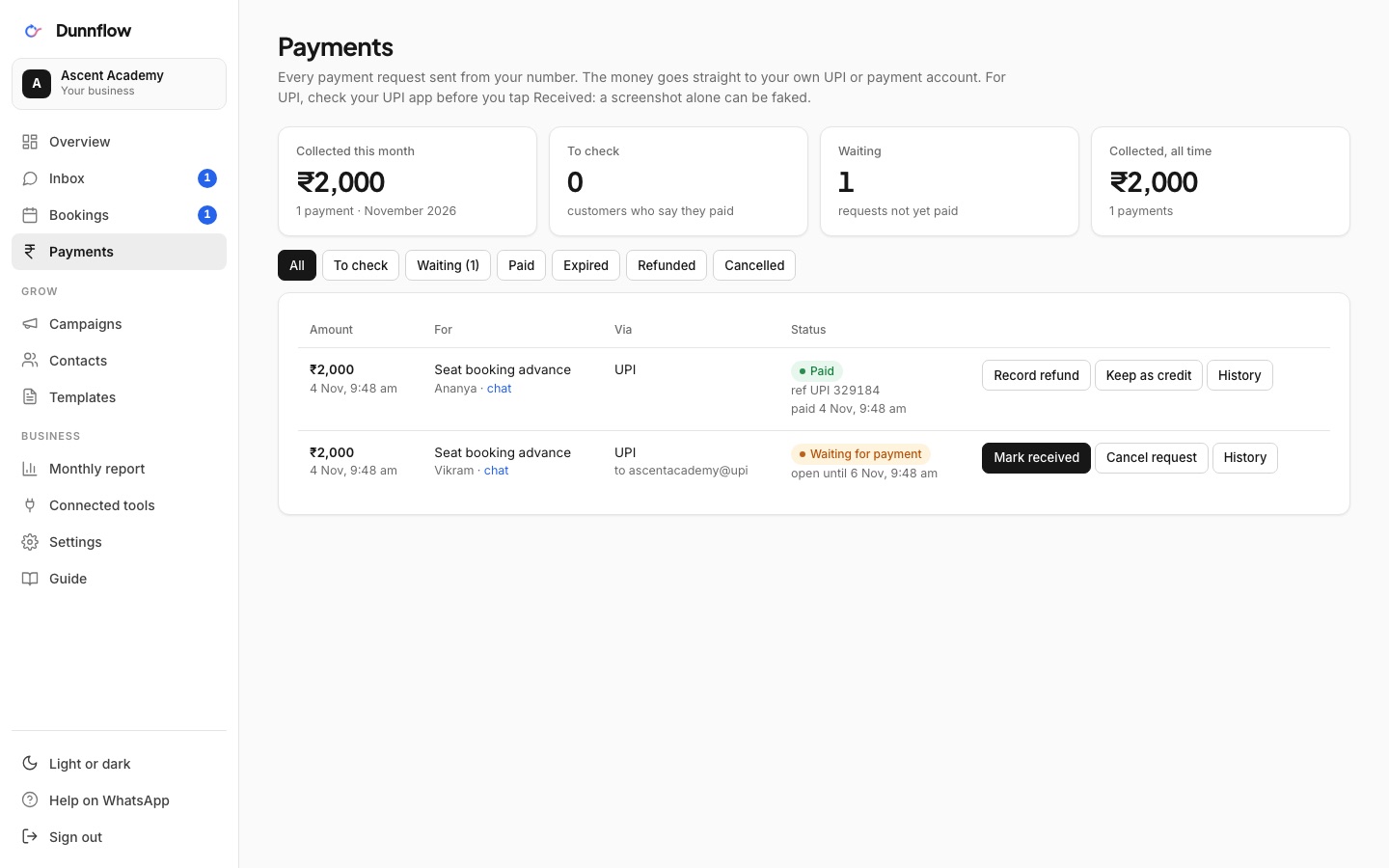
- Razorpay and Cashfree payments are marked paid automatically. For UPI, mark it paid with the reference and the receipt goes out.
- This month's total at the top, and the link copied in one click if a customer asks again.
Approved templates, safe sending
Campaigns
Pick an approved template, fill the blanks, and see the message exactly as the customer will.
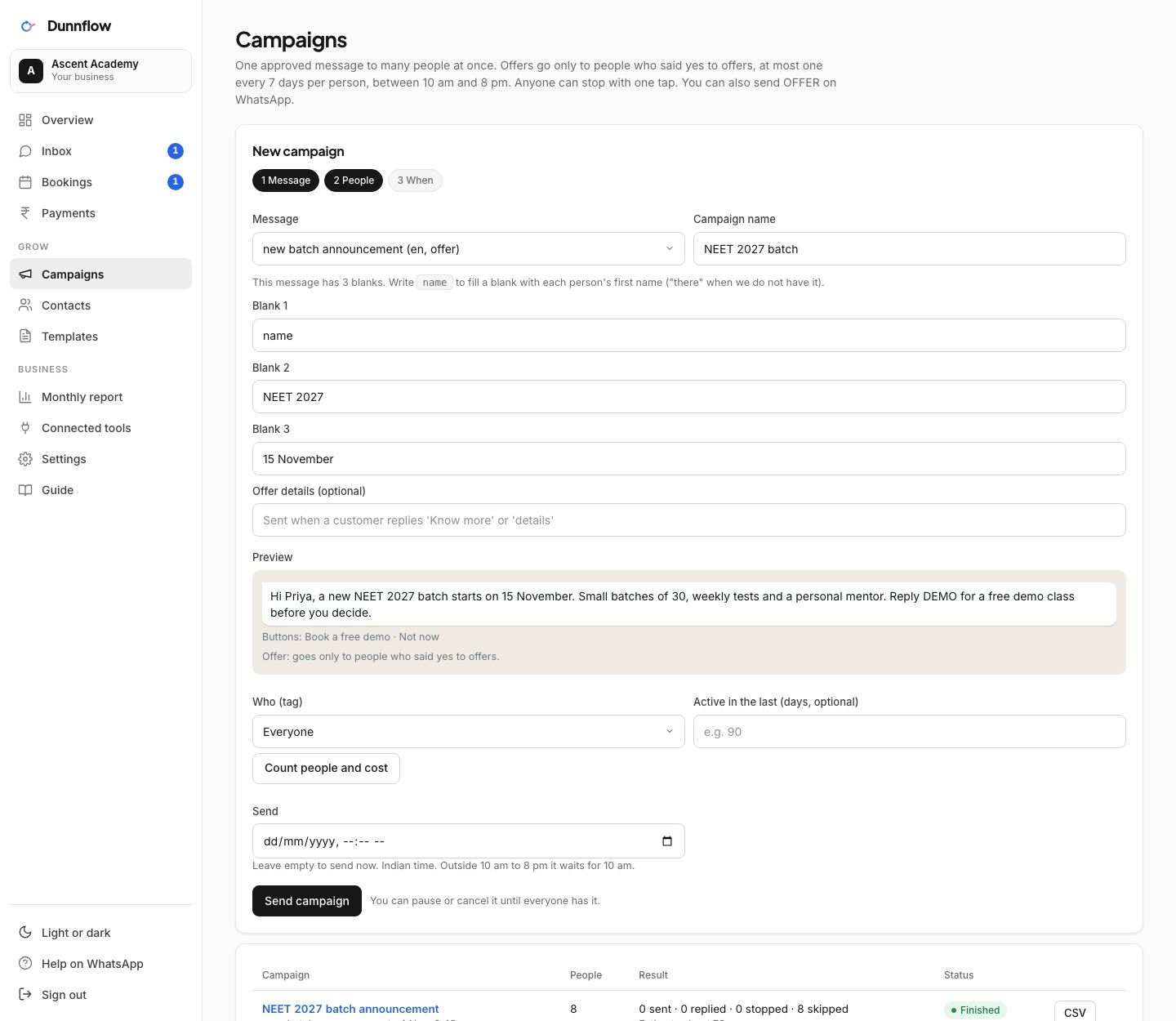
- Count the audience first, with the reasons people are left out: opted out, no consent, already messaged today.
- Send now or schedule, in Indian time. Cancel any scheduled campaign until it starts.
- Delivered and read counts per campaign, and a CSV of every send.
- Promotions go only to people who agreed to hear from you, and they pause themselves if WhatsApp's quality rating drops.
Your list, with consent
Contacts
Everyone who has ever messaged you, with first and last seen, channel, consent and tags.
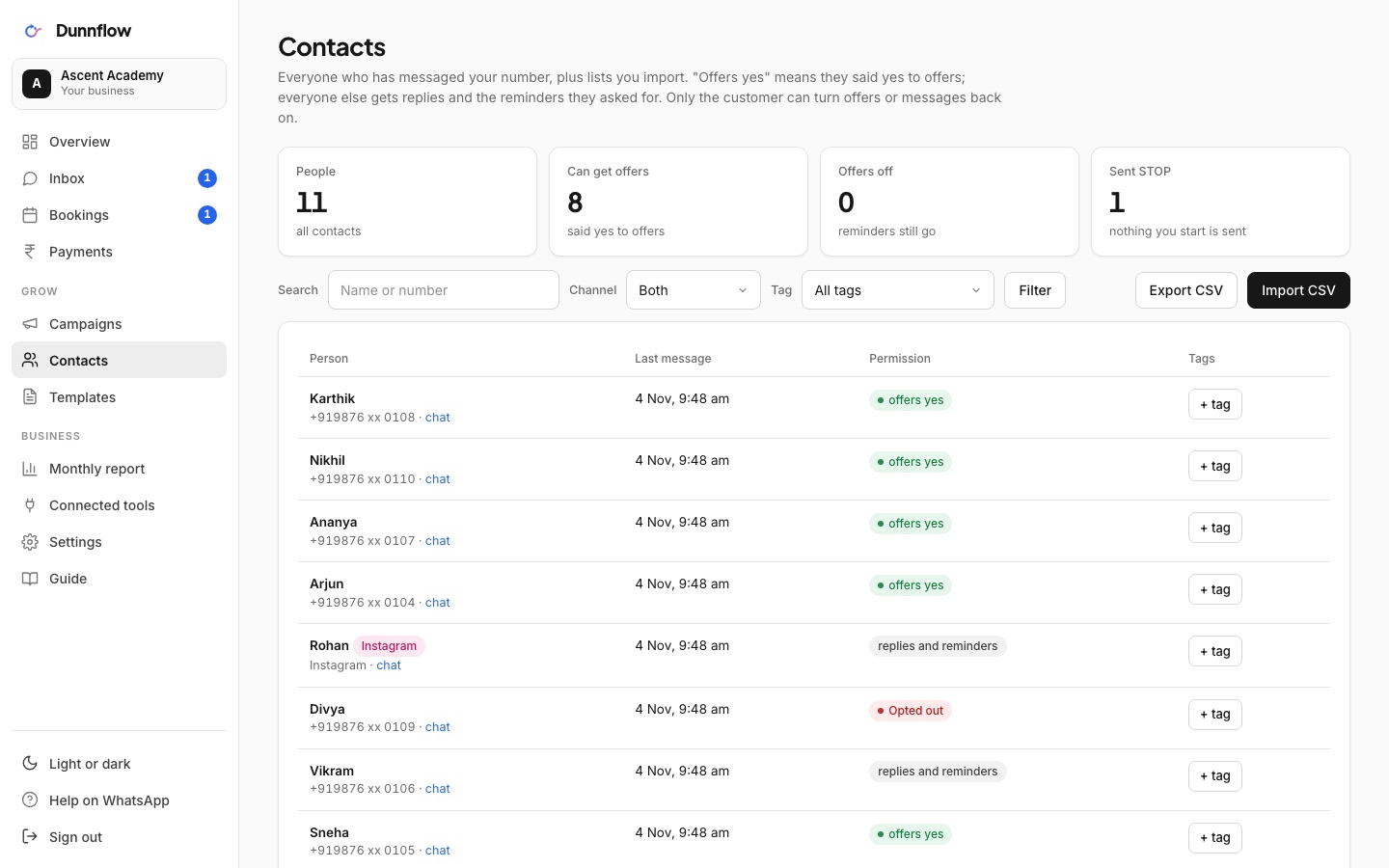
- Import a CSV. The dashboard shows how it understood each column before anything is saved.
- Marketing consent is recorded only when your file says yes, with the source noted, as the DPDP Act expects.
- Tag people by batch, branch or interest, and export the list any time. It is yours.
What Meta has approved
Templates
Every message template on your account with its status, category and language, in English, Hindi, Telugu, Tamil, Malayalam and Kannada.
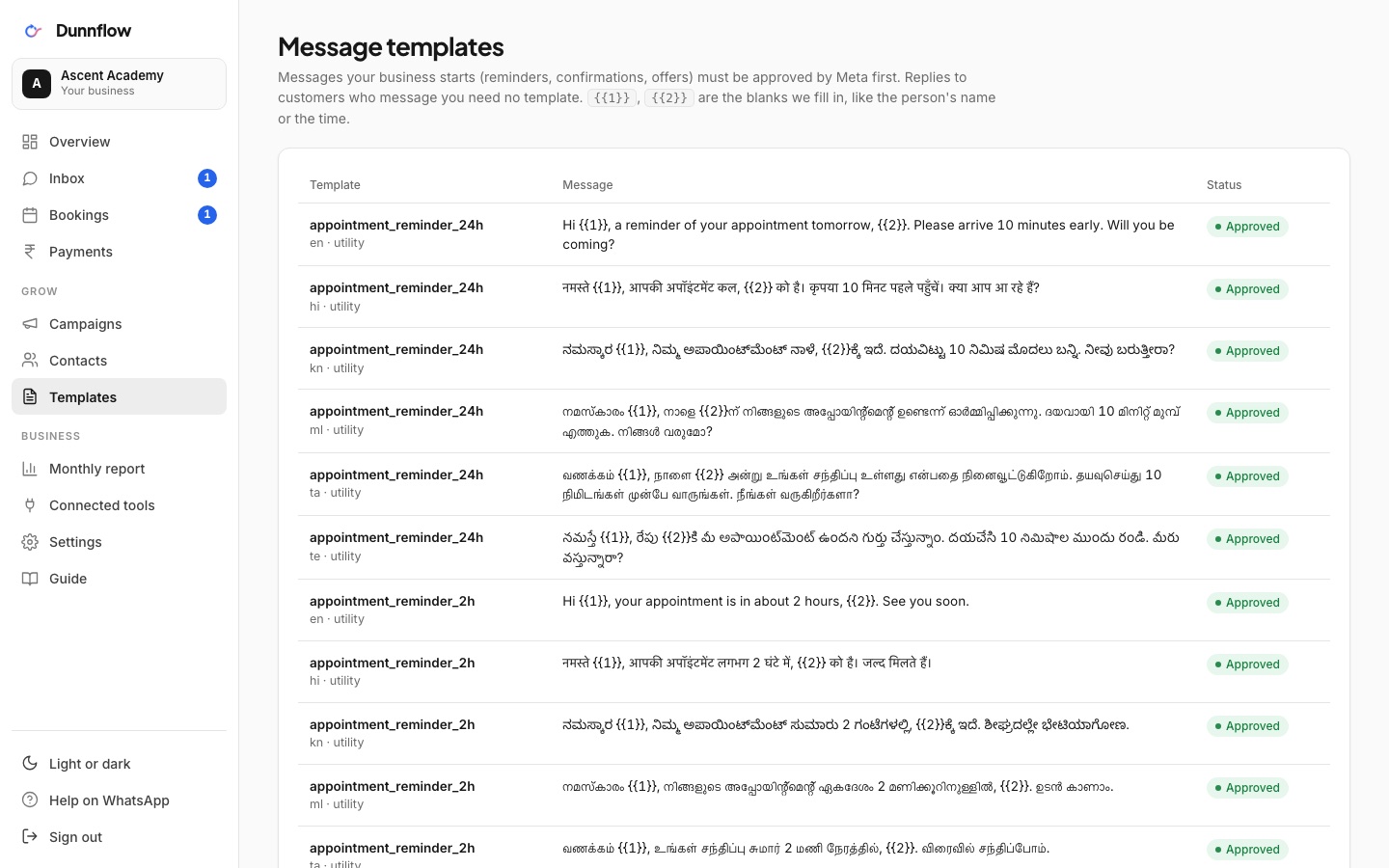
- A preview of the wording with sample values.
- Need a new one? Fill a short form and Dunnflow writes it in Meta's format and submits it for you.
Hours, away note, devices
Settings
Business hours and an away note that the assistant adds outside them, with a live preview.
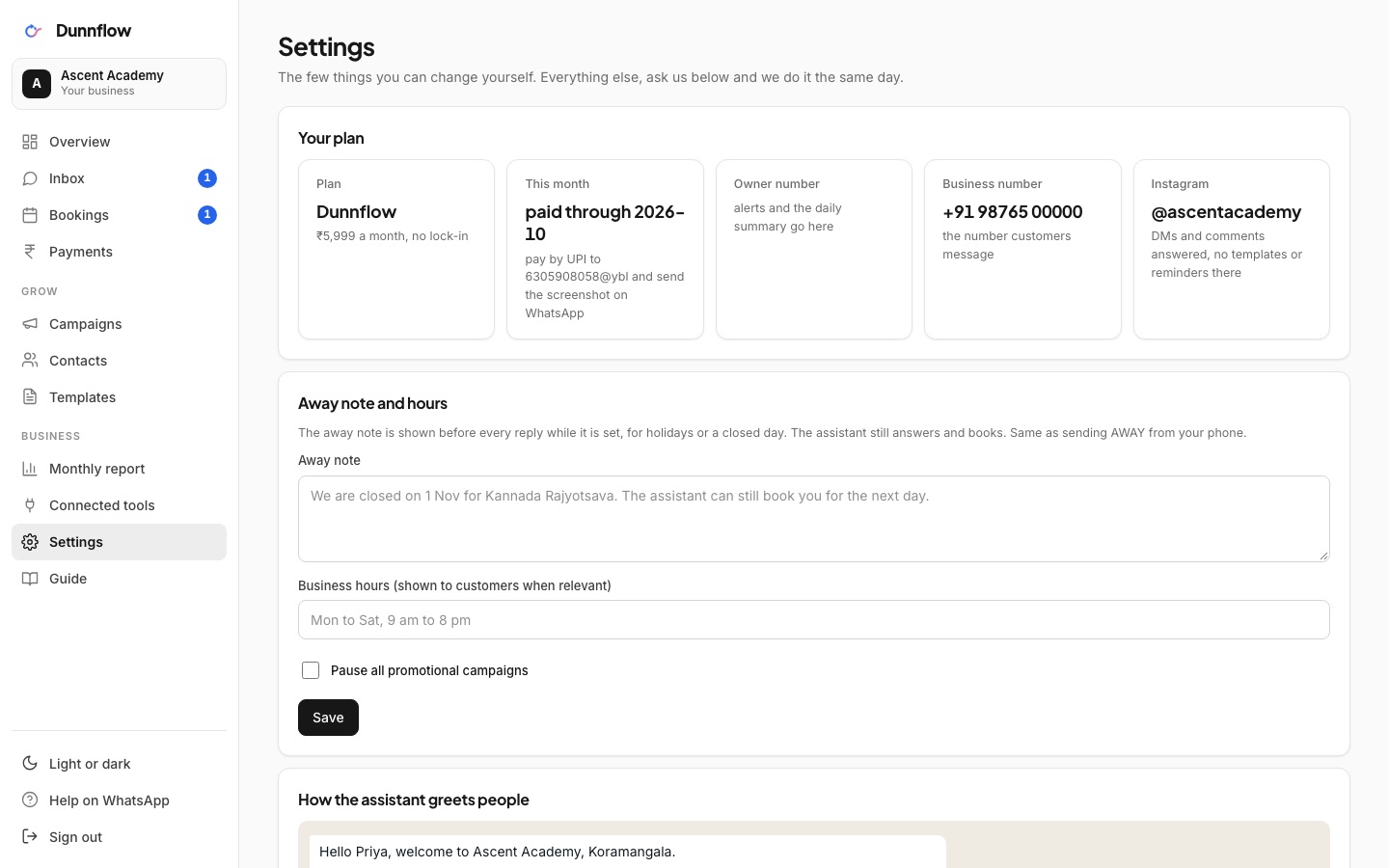
- A switch to pause all promotions without touching anything else.
- Your plan, paid-through date, owner number and Instagram handle.
- Signed-in devices, with sign out everywhere in one click.
- Help and support: report a problem or ask for a change, follow each request with its status and our replies, and tell us when it is solved.
One page, any month
Monthly report
Enquiries, bookings, attendance, no-shows, payments and handovers for the month, with what changed from the month before.
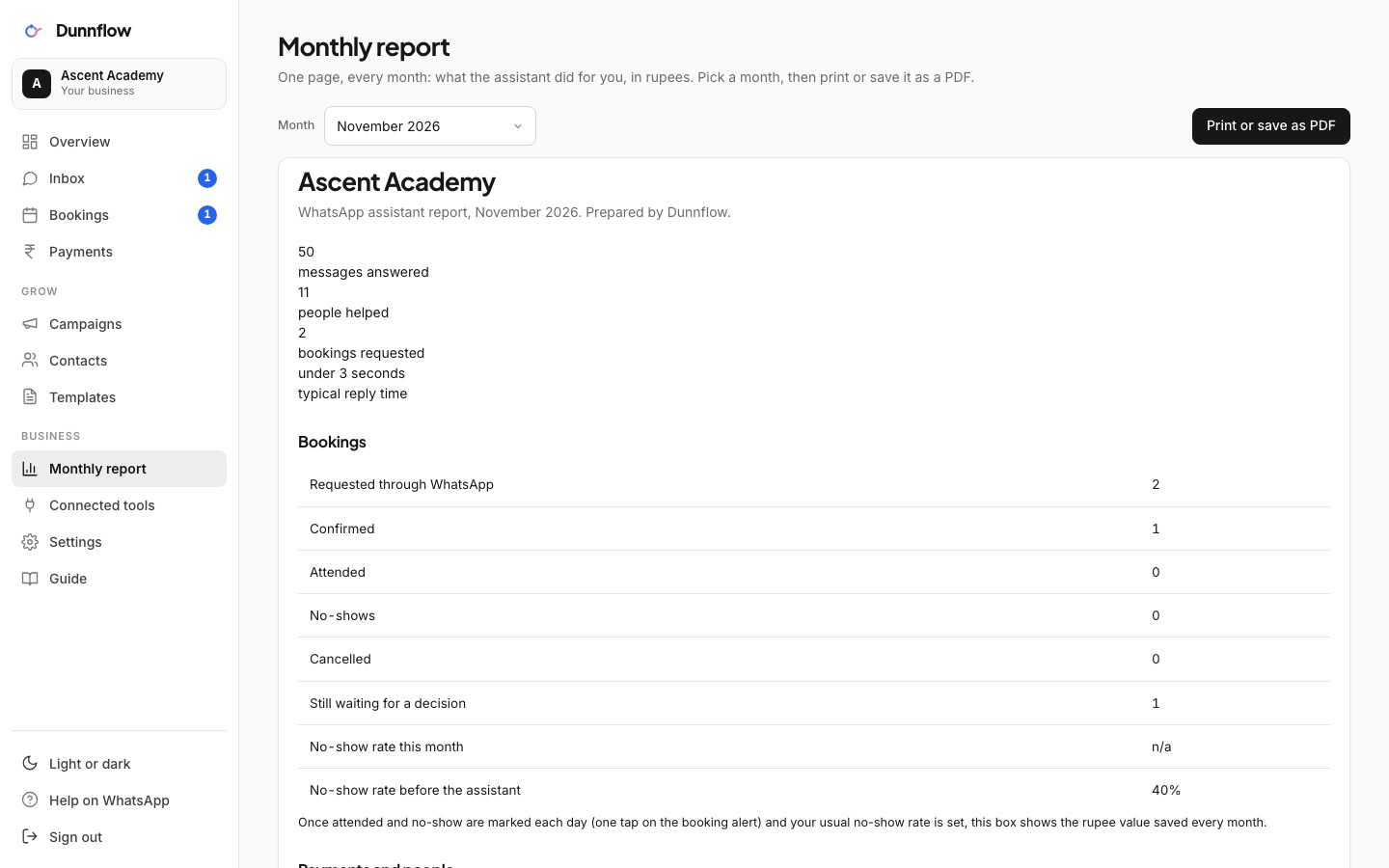
- Any of the last 12 months, printable or saved as PDF from the browser.
- The same numbers Dunnflow uses to show you what the assistant did for your money.
How you sign in
- Open the dashboard and tap Continue with WhatsApp: one message from your phone signs you in.
- Prefer a code? A 6-digit code can come on WhatsApp instead.
- You stay signed in for 30 days on that device. No password to remember.
- Made for every screen: bottom tabs on a phone, a side menu on a laptop, chats open full screen like WhatsApp, light or dark.
- Works on your phone. Add it to your home screen.
Who can see what
- Only your business. Every page shows your account alone, never another client's.
- Dunnflow staff open your dashboard only to set things up or when you ask for help.
- Customer numbers are masked in lists. STOP and DELETE MY DATA are honoured automatically, as the DPDP Act expects.
- Sign out of every device from Settings in one click.
See the assistant answer you first.
The dashboard shows what the assistant did. Message our own number, or try it in your browser, and watch it do it.